
What this unlocks
Pull backlink profiles, domain rating and keyword metrics. Once connected, Ahrefs data shows up in these places in your dashboard:
Backlinks and domain rating
Your backlink profile and Domain Rating, tracked over time.
Keyword metrics
Keyword data for the topics Salient writes about.
We only use the key to read your backlink and keyword metrics.
Before you begin
Have these ready. The connection itself only takes a few minutes.
- A Salient dashboard login with access to the brand you are connecting.
- An Ahrefs subscription that includes API access. Not every Ahrefs plan does, so check your plan if you can't see the API keys page.
- Permission to create API keys in your Ahrefs workspace (usually the workspace owner or an admin).
Step by step
Create an API key in Ahrefs
-
Open Account settings → API keys
Sign in to Ahrefs and go to Account settings → API keys.
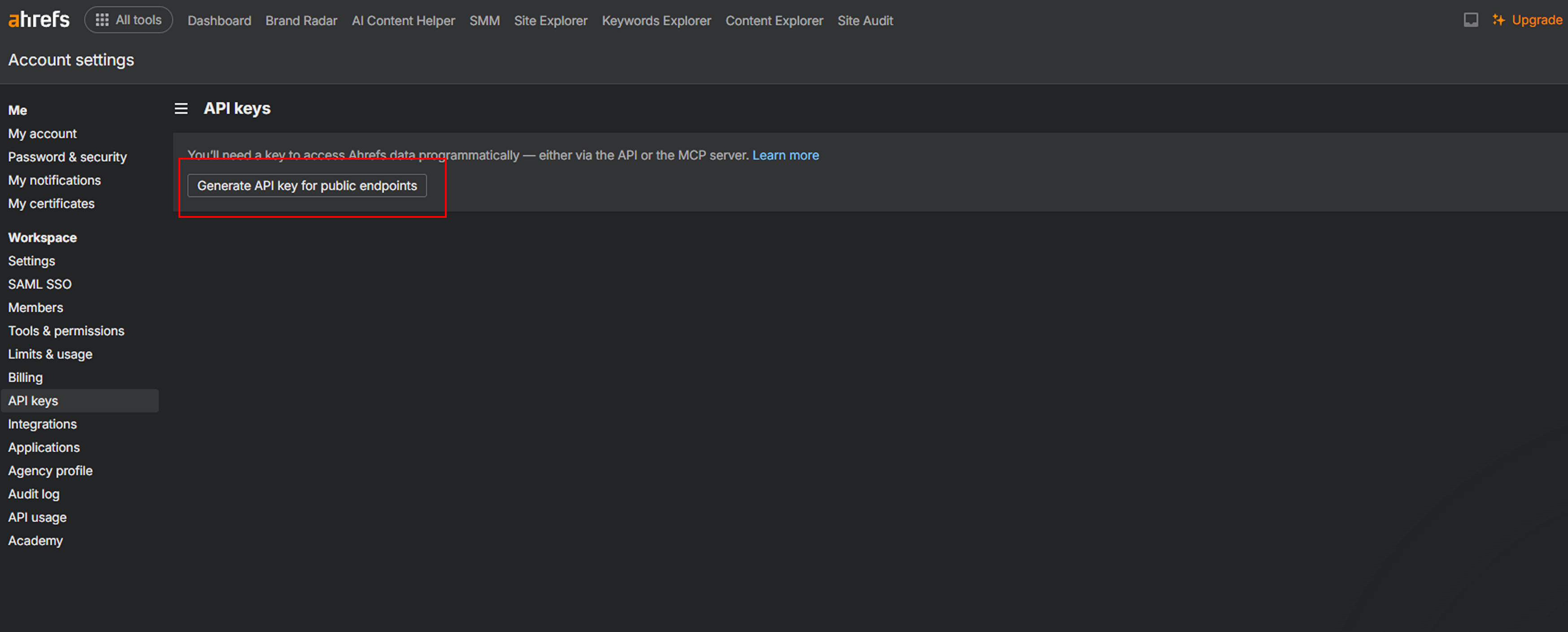
The API keys page in Ahrefs account settings. -
Create and copy a key
Create a new key. Name it something recognisable like “Salient”, and set an expiry date if your team requires one. Copy the key.
If you set an expiry date, Salient warns you 30 days before it expires so you can swap in a new key without losing data.
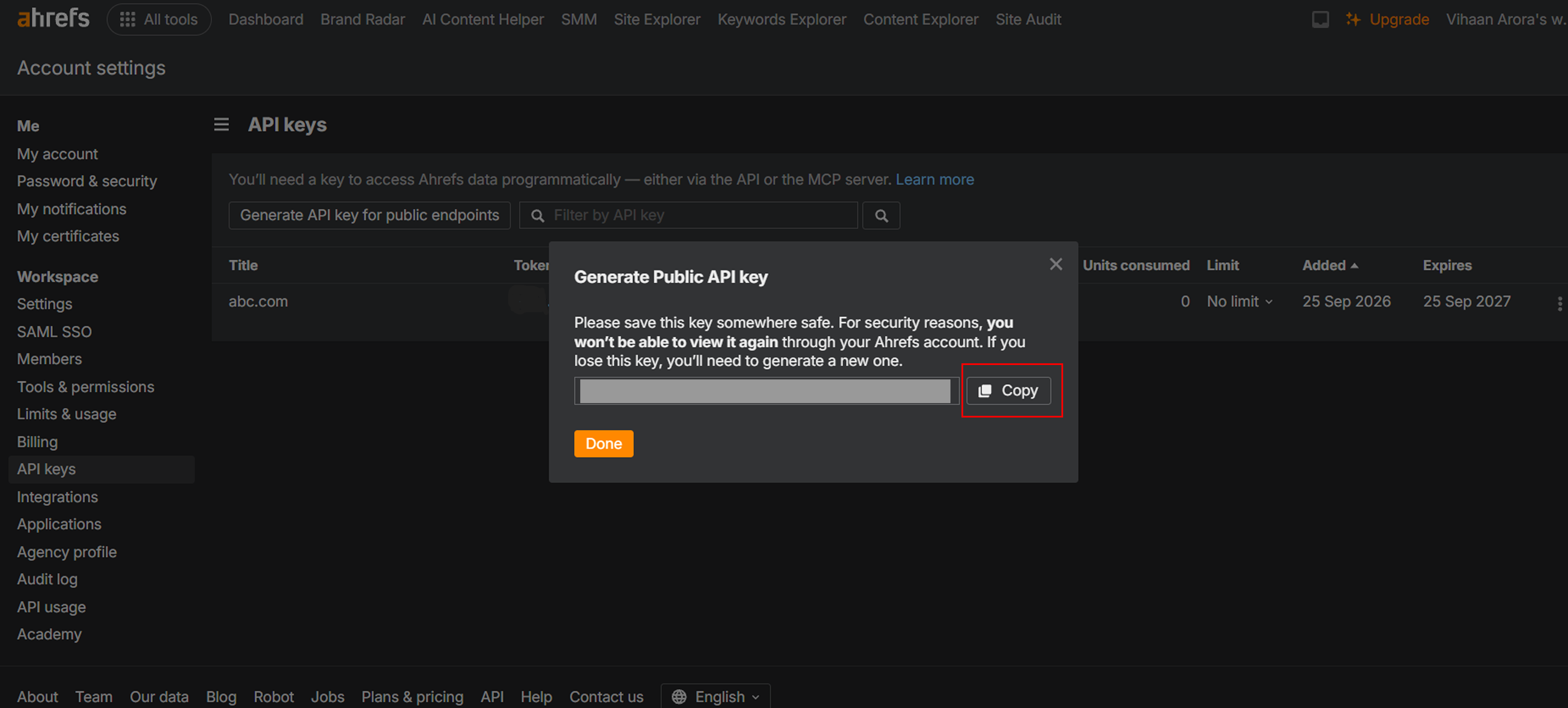
The new API key dialog in Ahrefs. Blur the key before saving this screenshot.
Connect it in Salient
-
Open Integrations in the dashboard
Sign in at app.salientnow.io. If your login covers more than one brand, pick the brand you want to connect on the
Pick the brand you want to work on.
screen. Then click Integrations in the left sidebar.Cards are grouped under Analytics and CRM. You can also type in
Search for an integration...
to find the Ahrefs card.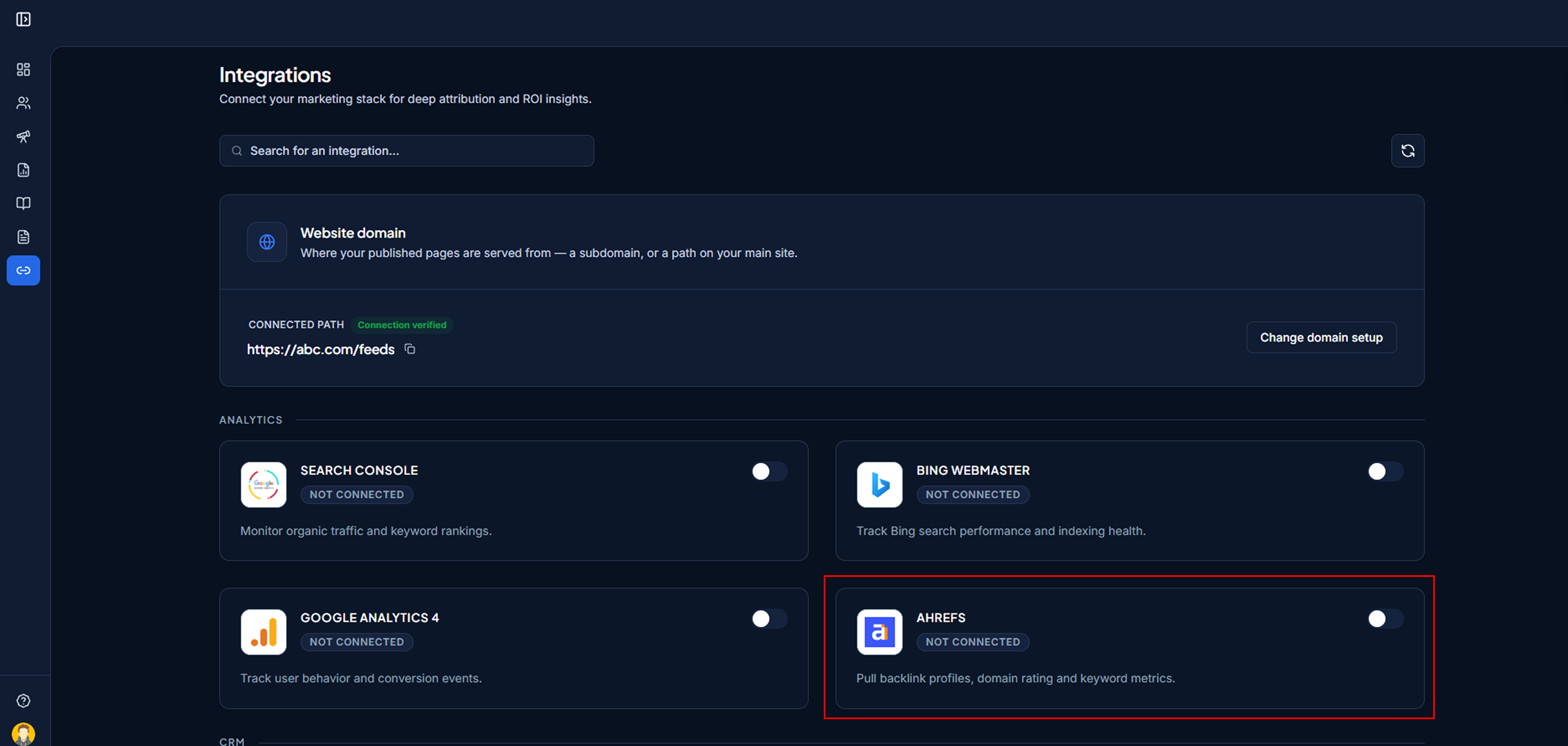
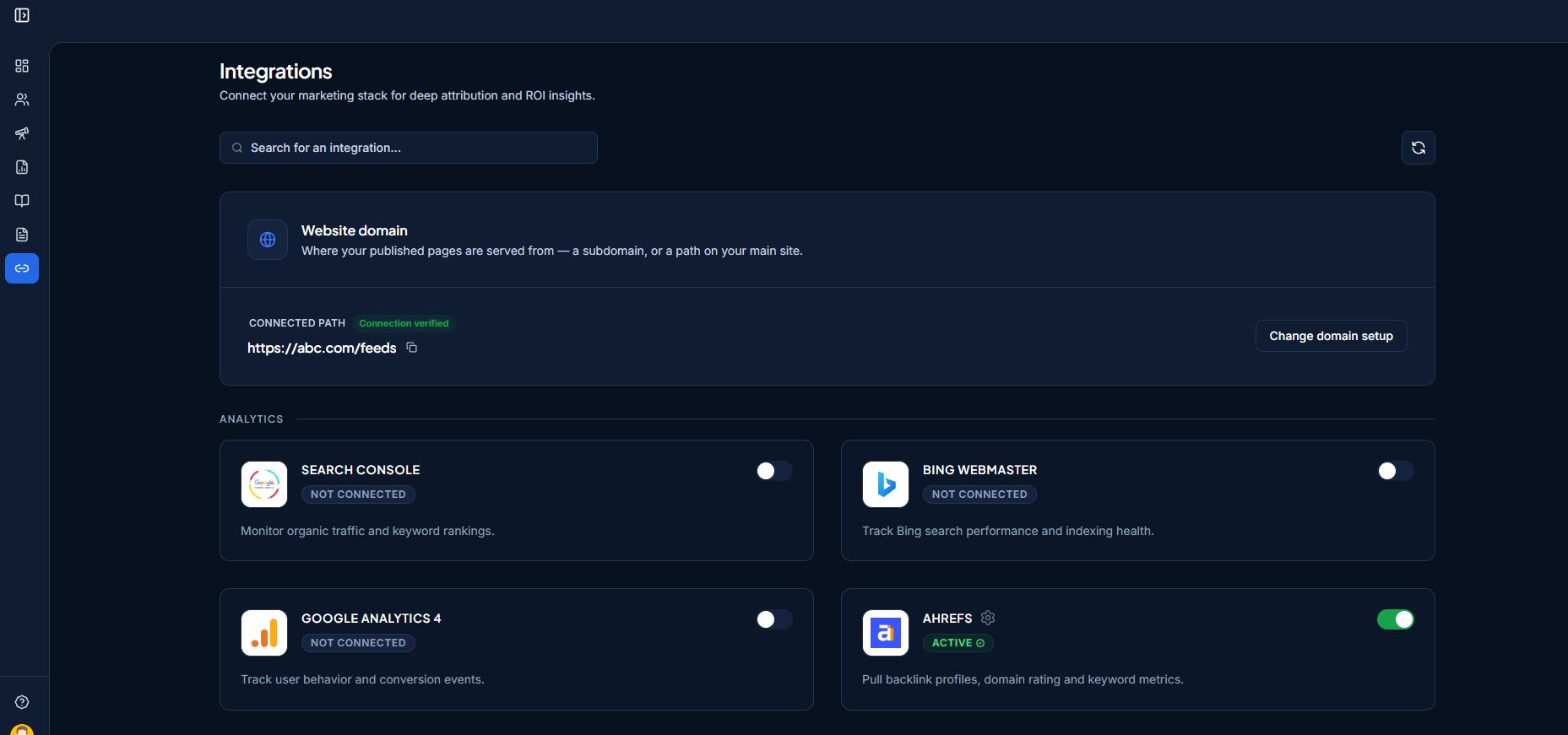
The Integrations page, with the Ahrefs card visible and showing “Not Connected”. -
Turn on the Ahrefs toggle
Click the toggle on the Ahrefs card. A window titled
Connect Ahrefs
opens. -
Paste the key and click Connect
Paste the key into the API Key field and click Connect. Salient checks the key and your plan limits (
Validating your Ahrefs API key...
,Checking subscription limits...
). When it's accepted you'll seeAhrefs Connected Successfully!
There's no site to pick. Ahrefs connects in one step.
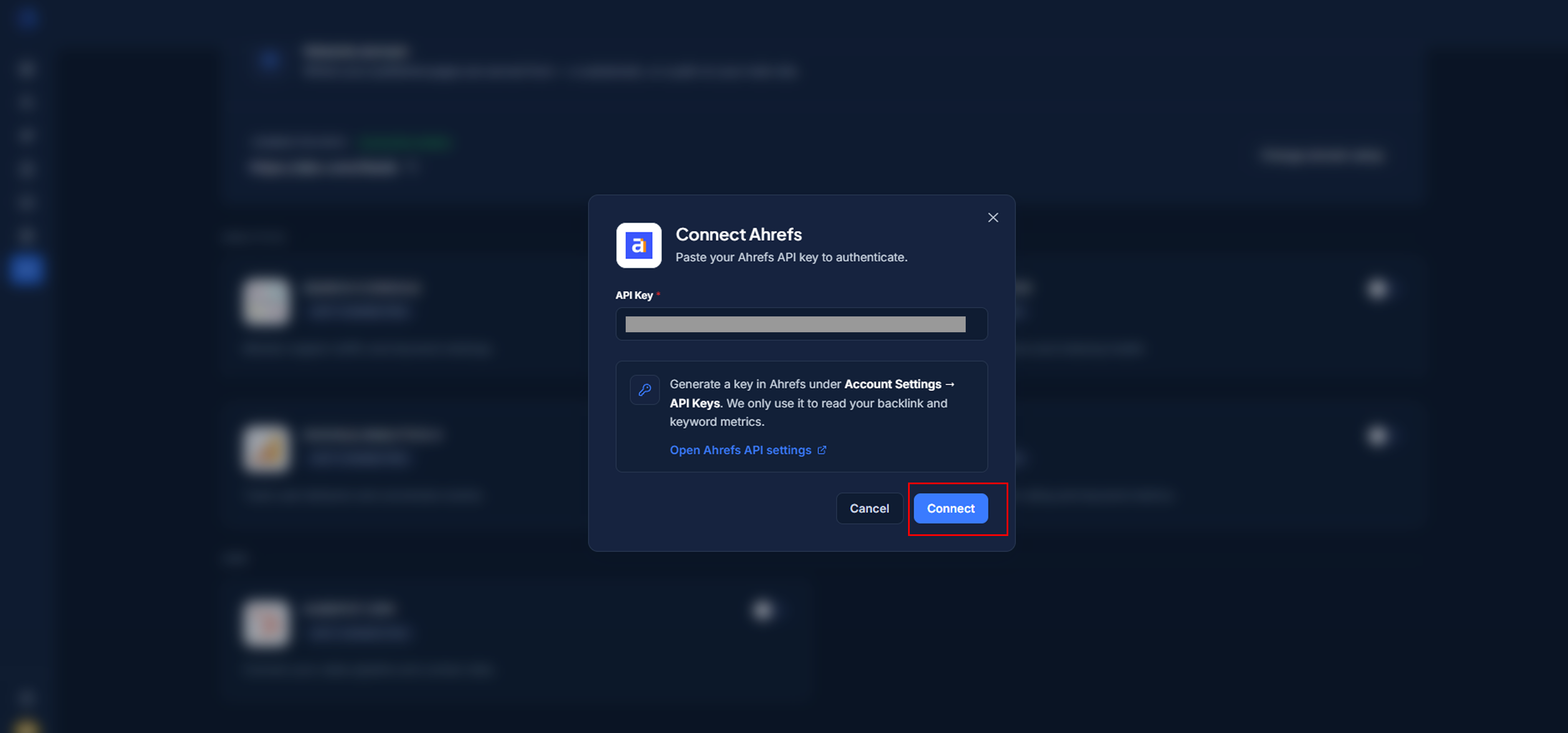
The “Connect Ahrefs” window with the API Key field and Connect button. -
Check that the card shows Active
Back on the Integrations page, the Ahrefs card now shows a green Active ✓ badge, the toggle is on, and the card reads Connected to: followed by the account you picked. Data starts appearing in your dashboard after the next sync.
The Ahrefs card in its connected state: “Active ✓”, toggle on, and “Connected to:” showing the account.
Change or disconnect
Change the connected account
Click the gear icon next to the Ahrefs title. This opens Update Ahrefs API Key
. Paste the new key and click Save Key. Use this when a key is about to expire or has been rotated.
Disconnect
Turn the toggle off. A dialog asks Disconnect Ahrefs
and explains: Are you sure you want to disconnect Ahrefs? This will stop tracking and syncing data from this integration.
Click Disconnect to confirm. You'll see Account Disconnected
.
Disconnecting removes our access immediately. You can also revoke access from the Ahrefs side at any time.
Troubleshooting
These are the messages you might see in the dashboard, and what to do about each one.
I see “Please enter your Ahrefs API key.”
The API Key field was empty. Paste the key and click Connect again.
I see “Ahrefs rejected that API key.”
Ahrefs says the key isn't valid. Check you copied all of it, that it hasn't been deleted in Ahrefs, and that your plan includes API access.
The card says “This API key is no longer valid. Update it to resume syncing.”
The key was revoked or deleted in Ahrefs. Create a new key (Part A), then click the gear icon on the card and paste it in Update Ahrefs API Key
.
The card says the key expires soon or has expired
You'll see This API key expires in N days
during the last 30 days, and This API key expired on …
afterwards. Create a new key in Ahrefs and swap it in from the gear icon.
The Units Used meter is amber
You've used 80% or more of your Ahrefs API units for the period. Data keeps syncing until the limit is reached. Raise your Ahrefs limit or wait for it to reset.