Help centre
Connect your marketing stack to Salient in a few minutes. Every integration is read-only: we never write to your analytics or CRM, and disconnecting removes our access immediately.
Every integration begins in the same place.
Log in to your dashboard at app.salientnow.io.
If your login covers several brands, choose the one to connect. Each brand has its own connections.
Click Integrations in the left sidebar.
Switch on the toggle on a card and follow the guide for that tool.
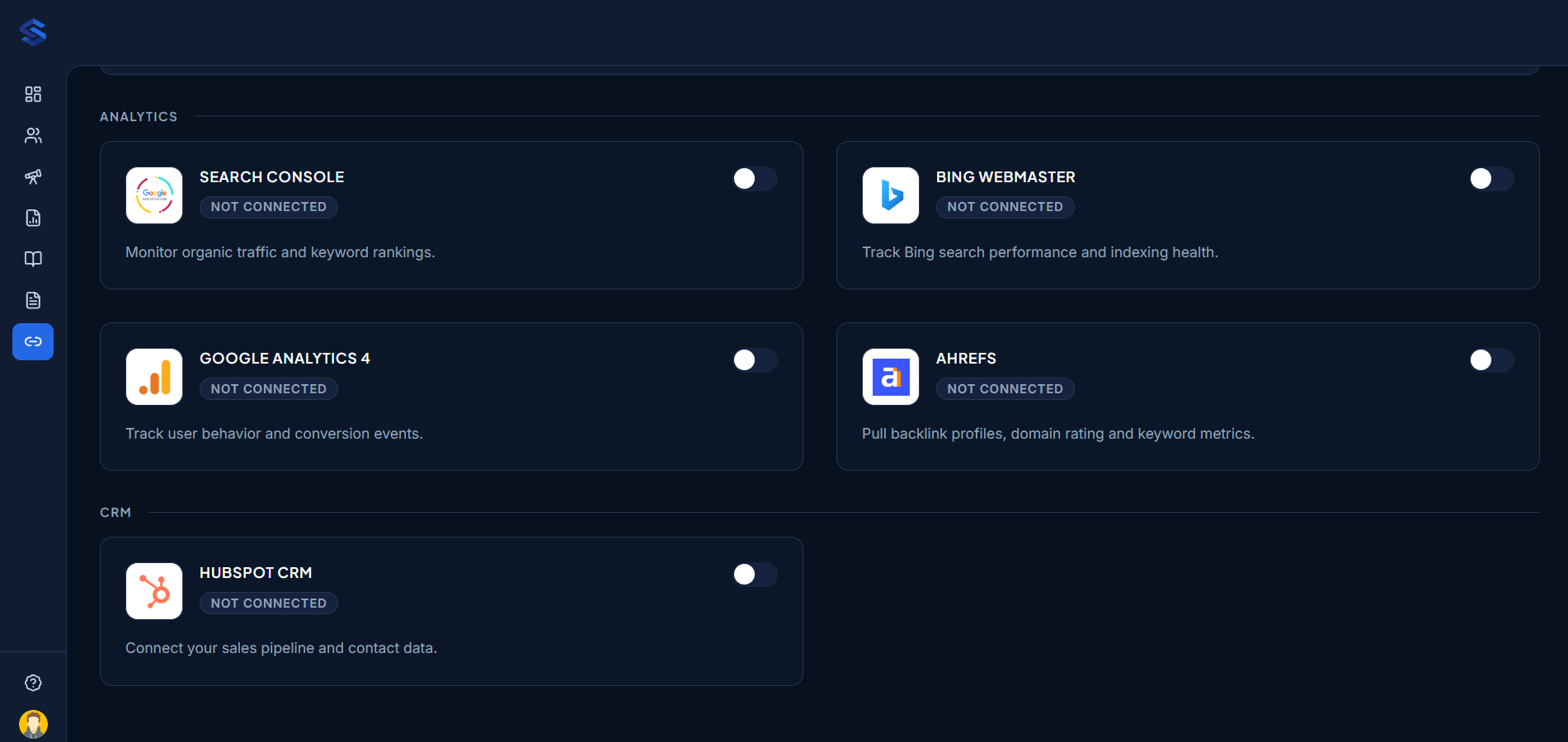
5 integrations
Analytics
Monitor organic traffic and keyword rankings.
Track user behavior and conversion events.
Track Bing search performance and indexing health.
Pull backlink profiles, domain rating and keyword metrics.
The same rules apply to every tool.
We only read data such as search performance, visitors and leads. We never change your analytics properties, CRM records or settings.
Connections belong to the brand you're working on. If you manage several brands, connect each one separately.
Google and HubSpot use a secure sign-in with the tool itself, so we never see your password. Bing and Ahrefs use an API key you create in that tool.
Use the gear icon on a card to switch the connected account. Turn the toggle off to disconnect, which removes our access immediately.
Email contact@growthspree.in with the integration name and a screenshot of what you see. Your account manager replies the same working day.
Salient by GrowthSpree
Pick a slot with the pod that would actually run your account. No credit card, no sales script.
Calendar not loading? Open it in a new tab.